
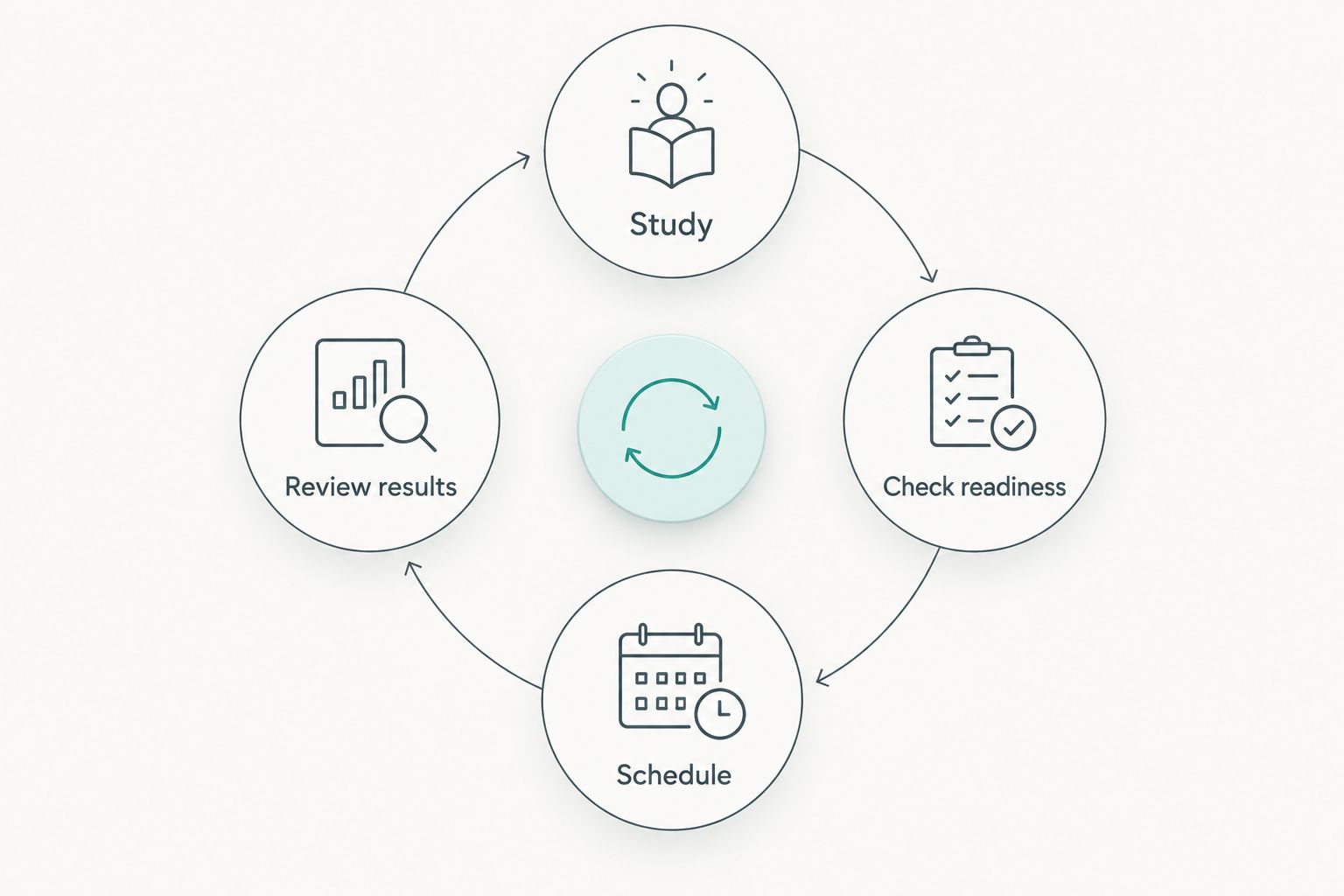
Instead of repeatedly checking GED test dates while working through lessons, use a subject-by-subject workflow: confirm your testing eligibility, check readiness, then book through GED Testing Service. In 2026, keep preparation and scheduling separate—Reasonedlearning sells self-paced test prep courses, while your GED account is where you schedule the official exam.
- For the ged testing service schedule exam workflow, confirm eligibility before choosing a subject and appointment.
- Reasonedlearning is best for learners who want self-paced test prep, not an official GED exam booking service.
- GED Ready checks subject readiness; completing a prep course does not book an exam.
- Choose test-center or online testing according to your eligibility, equipment, and testing environment.
Why this matters
Finishing lessons, passing a practice test, and securing an official appointment are different milestones. Treating them as one task creates a practical problem: you can finish studying without having completed the requirements that let you schedule.
The GED has 4 subject tests: Mathematical Reasoning, Reasoning Through Language Arts, Science, and Social Studies. The passing score is 145 points per subject. Track readiness separately for each subject rather than treating course completion as evidence that every test is ready to book.
Reasonedlearning is best for learners who want self-paced test prep, not an official GED exam booking service. Keep your study plan with your preparation materials and your appointment details in your official testing account. No connection between the two is necessary for this workflow.
Before you start
- Account and eligibility: Have access to your GED account, your email, and the rules for the jurisdiction where you will test. Check age, residency, and any approval requirements before choosing an appointment.
- Identity and testing materials: Have acceptable identification and your recent subject-level practice results. If you want online testing, also have access to a compatible computer, internet connection, and a private testing space.
- The scheduling gotcha: Course completion does not establish eligibility for online testing. GED Testing Service requires a qualifying GED Ready result for online testing; confirm the required subject result and validity window before planning around that route.
Use your GED account's current 2026 instructions to resolve state-specific requirements. Do not copy another learner's eligibility checklist: age exceptions, residency rules, and testing options depend on where you test.
Your subject readiness record
Start with a small record you can update after each study session. It connects preparation to scheduling without requiring software integration or an automated transfer of scores.
Set up your readiness record
- Write the names of the four GED subjects in separate rows. Add columns for practice result, review topic, eligibility status, and appointment confirmation.
- Enter the date and source of each practice result. Distinguish a course quiz from GED Ready so you do not mistake an internal assessment for the official practice test.
- Write a specific review topic beside each weak result. Use entries such as interpreting graphs or solving equations rather than a broad instruction to study more.
- Choose the next subject based on your readiness evidence and study time. Do not book all subjects merely because the account lets you select them.
- Record your intended testing route for that subject. Leave the appointment field empty until the official account confirms a booking.
Expected result: Each subject has a clear next action: study, check eligibility, take the official practice test, or schedule. An empty appointment field means you have not yet booked that subject.
The record also makes your next study session easier to start. You return to an identified weakness instead of restarting a course or browsing lessons without a target.
Your GED account and eligibility
Your official testing profile must be ready before the calendar becomes useful. An appointment that conflicts with your identification or eligibility is not a workable study deadline.
Configure your testing profile
- Sign in to your GED account. If you already have an account, recover access instead of creating another profile to bypass a problem.
- Check your name against the identification you will present. Resolve discrepancies before booking rather than leaving them for test day.
- Confirm the jurisdiction in which you intend to test. Read its eligibility requirements, including any age-related documentation or approval steps.
- Review any account notices that prevent scheduling. Complete the stated requirement or contact GED support when the reason is unclear.
- If you need testing accommodations, start that process before selecting an appointment. Follow the accommodation instructions for approval and scheduling rather than assuming a standard booking includes your requested arrangements.
Expected result: Your account details match your identification, your testing jurisdiction is correct, and you understand any outstanding scheduling requirements.
For your 2026 booking, separate a missing account requirement from a missing appointment. Eligibility must be resolved first; changing dates does not remove an account restriction.
If a school, employer, or training program needs your credential by a deadline, record that deadline separately. A booked appointment is not a passing result, and a passing result is not the same task as supplying the required credential documentation.
Your testing route and readiness check
Choose the testing environment before committing to a date. Test-center and online testing use different practical arrangements, so readiness includes more than subject knowledge.
| Testing option | Best for | Main advantage | Main limitation | Check before booking |
|---|---|---|---|---|
| Test-center testing | Learners who want a testing location outside the home | Removes the need to prepare a home testing room and personal testing computer | Requires travel and a workable arrival plan | Identification, location, appointment instructions, and local eligibility |
| Online testing | Eligible learners with a suitable private room and compatible equipment | Lets you test from an approved home environment | Requires technical preparation, room compliance, and qualifying readiness evidence | Online eligibility, GED Ready requirement, system test, and room rules |
Neither route changes the need to prepare for the subject. Choose the environment you can reliably comply with, not simply the one that sounds more convenient.
Confirm your subject and testing route
- Review your practice results for the subject you intend to schedule. A strong result in Science does not establish readiness for Mathematical Reasoning.
- Use GED Ready when you need the official readiness check. Its green, Likely to Pass range begins at 145 points and extends to 200 points; it is not an official GED subject pass.
- For online testing, confirm that your qualifying result meets the current scheduling requirement. Check the account's subject and timing conditions before selecting that route.
- For test-center testing, read the requirements for your jurisdiction. Do not assume the online readiness rule is identical to the rule for an in-person appointment.
- If you select online testing, complete the required system check on the computer and connection you intend to use. Review the testing-space and identification instructions as separate tasks.
Expected result: You have selected a subject and a testing route supported by your readiness, eligibility, and practical arrangements.
In 2026, use the official account to confirm online testing conditions before committing your work schedule or childcare arrangements. A practice score addresses readiness; it does not confirm that your computer or room meets testing rules.
Your exam appointment and confirmation
Schedule only after the previous checks are complete. The appointment confirmation—not a selected calendar entry—is the evidence that this part of the workflow is finished.
Book and verify your appointment
- Open your GED account and select Schedule Test. Start with the subject you have cleared in your readiness record.
- Follow the scheduling prompts to choose your subject and testing route. Read each selection before advancing, especially when choosing between online testing and a test center.
- Select the location or online option, then choose a date and time. For a test center, check the address; for online testing, check the appointment's time-zone information.
- Review the appointment summary. Confirm the subject, testing route, date, time, and location before completing the booking process.
- Finish the required booking steps and save the confirmation. Add the confirmed details to your calendar and your subject readiness record.
- Read the confirmation's check-in, identification, and appointment-change instructions. Put those requirements beside the calendar entry so you do not have to search for them on test day.
Expected result: Your account shows the booked appointment, and your calendar matches the official confirmation. If you stopped at a date-selection screen, return to the account and verify whether a booking exists.
Build your remaining study sessions around the confirmed subject. Review identified weaknesses, practice the question formats, and prepare the required identification and testing arrangements. Do not let the booking task displace the preparation it was meant to organize.
Schedule the next subject after a result update
The adjacent workflow begins when a subject result appears. Update your study record before scheduling again so the next appointment reflects the result rather than an old plan.
- Open the official result and record the subject outcome. Do not infer a pass from how the test felt.
- If you passed, mark that subject complete. Choose the next subject using its own readiness evidence.
- If you did not pass, identify the topics that need review. Check the applicable retest requirements before trying to book another attempt.
- Revisit your testing route if the environment caused a practical problem. Technical preparation and subject preparation require different fixes.
- Repeat the eligibility, readiness, and confirmation checks for the next appointment.
This repeatable handoff is the useful connection between prep and scheduling. You do not need a course platform to submit a booking automatically; you need an accurate record and a deliberate decision after each result.
Keep your 2026 study calendar flexible until the next appointment is confirmed. A preferred date belongs in your planning notes, not in the confirmed-appointment column.
Troubleshooting
The account will not let you schedule
Read the account's restriction message and check the associated eligibility requirement. Missing approval, incomplete account information, and unmet testing conditions require different actions; changing browsers does not resolve an eligibility restriction.
Online testing is not selectable
Check your jurisdiction's online testing rules and your qualifying GED Ready result for the selected subject. Do not treat completion of a prep course as a substitute for the official online scheduling requirement.
Your name does not match your identification
Resolve the mismatch through the official account-support process before test day. Do not create a second account or assume the testing staff can change your profile at check-in.
The online system check fails
Follow the system check's failure instructions on the device and connection you intend to use. Repeat the check after making changes; if you cannot meet the requirements, reassess whether test-center testing fits your situation better.
You selected a date but cannot find confirmation
Check the appointment area in your account before starting another booking. If no confirmed appointment appears and the status remains unclear, contact support with the booking details rather than assuming the date is secured.
Customize your workflow
For a working adult or parent, add two fields to the readiness record: testing-day arrangements and the next review topic. These expose practical conflicts early without turning your study plan into a complicated project.
Self-paced preparation offers control over when you study, but you must set the study schedule and track progress yourself. Reasonedlearning provides self-paced test prep courses; official GED eligibility, scheduling, and results remain separate tasks.
For preparation choices, use the self-paced GED prep guide for adult learners. Compare a course against your actual weak subjects and available study periods, not simply the amount of content it contains.
Use one calendar for study and appointments, but label them differently. A planned review session can move around your week; an official appointment requires the account's appointment-change process.
FAQ
How do I schedule my GED exam through GED Testing Service?
Sign in to your GED account, select Schedule Test, and follow the prompts for your subject, testing route, and appointment. Complete the booking process and verify the confirmation before treating the date as booked.
Does finishing a GED prep course automatically schedule my exam?
No. Finishing a prep course does not book an official GED exam. You must meet the applicable eligibility requirements and complete scheduling through your GED account.
Can I schedule one GED subject at a time?
Yes, you can schedule GED subjects separately. Use subject-level readiness to decide which exam to book next rather than waiting until you feel equally prepared for all four.
Do I need GED Ready before taking the GED online?
Online GED testing requires a qualifying GED Ready result for the subject you intend to take. Confirm the current validity window and other online eligibility requirements in your official account before booking.
Is test-center GED testing better than online testing?
Test-center testing is better for learners who cannot meet home testing requirements; online testing suits eligible learners with compliant equipment and a private room. Choose the route whose practical requirements you can meet reliably.
What score do I need to pass each GED subject?
You need at least 145 points to pass each GED subject test. A GED Ready practice score is readiness evidence, not an official subject pass.
What should I do if I need to change my GED appointment?
Use the appointment-change instructions in your GED account and confirmation. Review the applicable deadline and verify the updated appointment rather than changing only your personal calendar.
One last thing
A calendar entry is not a booking confirmation. Before you close the scheduling task, compare the official confirmation with your calendar: subject, date, time, testing route, and location must match.
For every 2026 appointment, keep the confirmation and identification instructions together. That final check catches a different kind of error than another practice test—and preparation needs both.