
Instead of manually juggling TEAS scores, school deadlines, and testing instructions, use one workflow: confirm your program’s rules, turn your results into a study plan, then book and verify your ATI test day. Reasonedlearning provides self-paced online test prep; registration and score acceptance remain separate tasks with ATI, your testing provider, and your school.
- For teas test day scheduling ati, confirm your school’s accepted testing format before registering.
- Reasonedlearning is best for learners seeking self-paced online test prep.
- Use ATI TEAS results to identify study priorities, not to assume admission eligibility.
- Finish your test-day checklist with identity verification, session instructions, and score delivery.
Why this matters
A TEAS appointment is useful only if your program accepts the resulting score. A testing session, an admission deadline, and a score-submission deadline are different things. Put each on your calendar before choosing an appointment.
For your 2026 application, confirm the requirements for the exact program and admission cycle. A college’s general testing information does not replace the nursing or allied-health program’s instructions.
ATI’s published ATI TEAS Version 7 specifications list 170 questions across 209 minutes of testing. That testing time does not include your personal preparation, travel, or the check-in arrangements specified by your provider. Protect the full appointment window rather than treating the exam as an ordinary calendar meeting.
Before you start
- Gather access and documents. Have your ATI account credentials, the identification required by your testing provider, your program’s admission instructions, and any previous TEAS score report.
- Create a planning record. Use a document or spreadsheet with your program, accepted testing format, application deadline, score deadline, retake rules, appointment details, and score-delivery status.
- Check the acceptance gotcha first. Do not assume your school accepts every TEAS testing route. Confirm whether its rules permit your intended remote or in-person session before registering; arrange required accommodations through the appropriate process before choosing a session.
You do not need an automated connection between a prep course and ATI to follow this workflow. Keep the planning record yourself and update it whenever a school requirement or appointment changes.
Program requirements
Your first configuration task is to define what counts as an acceptable TEAS result. This prevents the study plan and booking process from working toward the wrong admission requirement.
- Identify the exact program. Record the school, program name, and application cycle. For a 2026 application, use instructions that apply to that cycle rather than an older saved checklist.
- Record score requirements. Copy the program’s required overall score, any section-specific requirements, score-age rules, and retake restrictions into your planning record. Keep the source document or message beside those entries.
- Separate the deadlines. Record when you must take the exam and when the program must receive the score. If the instructions give only an application deadline, ask the program to clarify the score deadline.
- Confirm the testing route. Ask whether the program accepts the specific session type you intend to book. If the wording is unclear, describe the provider and format rather than asking only whether it accepts the TEAS.
Expected result: your record states which exam result the program will accept, when it must arrive, and which testing route you can use.
Choose the testing route before the appointment
The routes below are scheduling options, not interchangeable promises of admission acceptance. Best for describes the practical fit after your school confirms acceptance.
| Testing route | Best for | Practical advantage | Limitation to resolve |
|---|---|---|---|
| Institution-administered TEAS | Applicants whose program directs them to a school-run session | Follows the institution’s designated testing process | Confirm location, candidate eligibility, and score-sharing rules |
| ATI-managed remote TEAS | Applicants whose program accepts that remote format and who have a suitable setup | Removes the need to travel to a testing location | Requires compliance with remote technology, identity, and room rules |
| Testing-center TEAS | Applicants whose program accepts the selected provider and location | Provides a designated testing environment | Requires travel and provider-specific check-in arrangements |
Choose the route that satisfies the program’s instructions, not the one that simply looks easiest to book. Save written clarification when the school resolves an ambiguous rule.
Score review and study plan
TEAS results should tell you what to study next. They do not automatically tell you whether a school will accept your application, permit another attempt, or consider a section score sufficient.
- Open the correct result. Sign in to your ATI account and open My Results. Match the report to the exam date before copying scores into your planning record.
- Record the full score picture. Save the overall result and the Reading, Mathematics, Science, and English and Language Usage results. Review the report’s topic-level feedback where provided.
- Compare against program rules. Mark each stated requirement as met or unmet. Keep this comparison separate from your personal study goals; an admission threshold and a learning target are not the same thing.
- Choose a study priority. Start with a required section you have not met, then identify the specific topics behind that gap. Assign study tasks and a practice check rather than writing a vague instruction such as study more science.
Expected result: you have a written next action for each unmet requirement and a focused list of topics to review.
If you have not taken the TEAS, use a practice assessment to establish study priorities. Label those results as practice results so you do not confuse them with an official score report during scheduling or application work.
Reasonedlearning’s self-paced test prep fits learners who want to organize study around their own schedule. The limitation is administrative: a prep course does not establish your school’s score requirements or replace the official registration process.
Registration and confirmation
Book only after the program rules and study plan agree. For a 2026 retake, check the applicable waiting period and attempt limits before selecting another date.
- Enter the correct registration process. If your program directs you to register through ATI, use Register for TEAS on ATI’s website. If it directs you to an institution or testing provider, follow that provider’s instructions instead.
- Check session details before submitting. Confirm the exam, provider, format, location where applicable, appointment date, start time, and displayed time zone. For a remote session, compare the stated time zone with your own calendar settings.
- Check your identity details. Compare the name in your registration with the identification requirements in the session instructions. Resolve discrepancies before test day rather than expecting check-in staff to overlook them.
- Save the confirmation. Keep the appointment confirmation and provider instructions together. Add the appointment to your calendar with the stated check-in requirements and a separate reminder for preparation tasks.
Expected result: you have a confirmed appointment whose details match both your program’s acceptance rules and your planning record.
A selected session is not the same as a completed registration. Use the provider’s confirmation as the evidence that booking is complete. If confirmation is missing, check your account and contact the provider before starting another registration.
Test-day readiness
Your final configuration task is to make the appointment executable. Read the instructions attached to your actual session, not a generic checklist saved from another testing format.
- Prepare identity and access. Set aside the required identification and confirm that you can sign in to the relevant account. Keep your appointment details accessible without relying on memory.
- Prepare the testing environment. For remote testing, complete the provider’s required technology checks on the computer and network you will use. For in-person testing, confirm the address, route, and check-in instructions.
- Check permitted materials. Follow the session’s rules for calculators, scratch work, personal items, and breaks. Do not assume equipment or materials permitted in a practice session are permitted during the exam.
- Verify score delivery. Record whether the program receives scores through the session’s process or whether you must request a transcript. Confirm the destination using the school’s instructions.
Expected result: you know how to check in, what to bring or prepare, and how the resulting score reaches the program.
Keep these four stages in order: Program rules, Score review, Registration, and Test readiness. A change upstream requires another check downstream; a new testing format, for example, changes the readiness tasks.
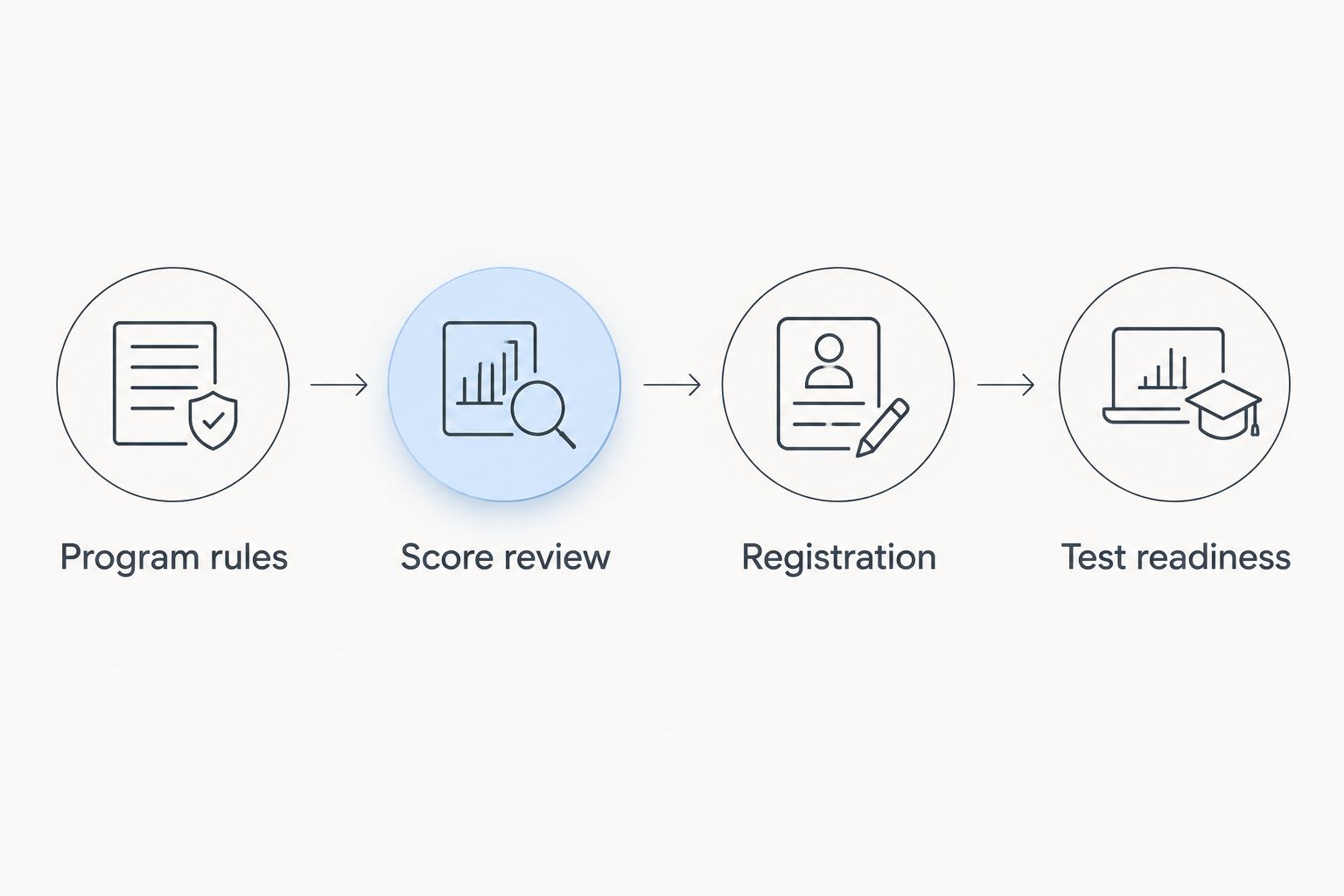
Update the workflow when new TEAS results arrive
A new score report starts a review cycle, not an automatic retake booking. First decide whether another attempt serves your application and is permitted under the relevant rules.
- Replace the previous overall and section scores in your active planning record, while retaining the earlier report for comparison.
- Compare the new results with the same program requirements. If you change programs, rebuild the requirements comparison before making a decision.
- If a requirement remains unmet, identify the topics that need attention and check retake eligibility before choosing another session.
- If the requirements are met, confirm score receipt with the program instead of assuming the testing provider completed every submission task.
For multiple 2026 applications, keep a separate requirements row for each program. The same result can require different administrative actions because programs set their own acceptance and submission rules.
The workflow ends with confirmed score receipt, not merely a completed exam. Keep the submission confirmation or the program’s acknowledgment with your application record.
Troubleshooting
Your school does not accept the selected format
Stop before registering if the session’s acceptance is unclear. Ask the program to confirm the exact provider and format in writing. If you already registered, contact the testing provider about the applicable change process; do not assume you can switch formats yourself.
Your appointment time differs between records
Compare the time zone in the provider’s confirmation with the time zone used by your calendar. Correct the calendar entry using the confirmed appointment details. Do not resolve the discrepancy by guessing which time is local.
Remote testing checks fail
Run the required checks on the actual device and network intended for the exam. Follow the provider’s troubleshooting instructions, then repeat the checks. A successful check on a different computer does not verify the device you plan to use.
Your name or identification does not match the instructions
Contact the provider before the appointment and describe the discrepancy. Follow its correction or documentation process. Keep the response with your confirmation so you know what to present at check-in.
The program cannot find your score
Check the exam date, candidate details, recipient, and submission status. Distinguish between viewing a score in your own account and delivering it to a school. Contact the relevant provider or program with your confirmation details rather than booking another exam to solve a delivery problem.
Customize your workflow
Add study sessions to the same calendar as your appointment, but keep them separate from administrative reminders. A missed practice session calls for a study-plan adjustment; an unresolved identity or acceptance issue calls for action with the provider or school.
When comparing preparation options, use the TEAS test prep courses guide to organize your shortlist. Check each course’s stated coverage and format against your score-report priorities rather than choosing from a headline alone.
Reasonedlearning sells self-paced online test prep courses. Use that format when you want control over study timing, while keeping responsibility for registration, provider instructions, and application submission in your own planning record.
Explore self-paced test prep
Review Reasonedlearning’s online test prep alongside your study priorities.
FAQ
How do I schedule an ATI TEAS test day in 2026?
Confirm your program’s accepted testing route, then register through the provider it permits. Save the appointment confirmation and verify the date, time zone, identification requirements, and score-delivery process.
Do I need TEAS results before scheduling my first exam?
No, you do not need a previous TEAS score report to plan your first exam. Use practice results for study planning and your program’s admission instructions for registration decisions.
Can I take the TEAS remotely for any nursing program?
No, remote testing acceptance depends on the program’s requirements. Confirm that the program accepts the exact remote testing route before registering.
How long is the ATI TEAS exam?
ATI’s published ATI TEAS Version 7 specifications list 170 questions and 209 minutes of testing. Follow your provider’s instructions for check-in and appointment arrangements beyond that testing time.
Should I book a retake immediately after seeing my score?
Check your program’s requirements and the applicable retake rules before booking another attempt. Use the score report to identify study priorities, then choose an eligible appointment that fits the submission deadline.
Does viewing my ATI score mean my school received it?
No, viewing your result does not establish that your school received it. Verify the required delivery process and confirm receipt with the program.
Can Reasonedlearning schedule my ATI appointment?
Use ATI or your designated testing provider to schedule the appointment. Reasonedlearning’s stated offering is self-paced online test prep, which is separate from exam registration.
One last thing
Move your planning deadline backward from score receipt, not forward from the exam date. Start with the program’s submission requirement, account for the provider’s stated processing instructions, then choose a test date and study schedule. This makes the application deadline the controlling constraint instead of an afterthought.
Before closing your 2026 checklist, verify the recipient one last time. A completed exam and a saved score report are not substitutes for a score delivered through the process your program requires.