
Yes, you can use a calculator on the TEAS test, but you must use the calculator supplied through your testing setup—not your own. For computer-based testing, ATI provides an on-screen, four-function calculator; for paper-and-pencil testing, the test administrator provides one. Calculator access does not replace knowing how to set up percentages, fractions, ratios, and word problems.
- Can you use a calculator on the TEAS test? Yes—ATI permits the supplied four-function calculator, not your personal calculator.
- Computer-based TEAS testing uses an on-screen calculator; paper-and-pencil testing uses an administrator-provided calculator.
- Practice setting up TEAS math problems before entering numbers; calculator access does not select the correct operation.
- Use your 2026 appointment instructions to confirm test-day procedures and permitted materials.
Can you use a calculator on the TEAS test?
Yes. The TEAS permits a supplied four-function calculator, not a personal calculator. ATI's calculator guidance distinguishes between computer-based and paper-and-pencil administration. The calculation tool is supplied in either format; how you access it changes.
| Testing format | Calculator provided | Best preparation match | Limitation |
|---|---|---|---|
| Computer-based TEAS | On-screen, four-function calculator | Basic on-screen calculator practice | Do not depend on scientific or graphing functions |
| Paper-and-pencil TEAS | Calculator supplied by the administrator | Basic four-function calculator practice | You cannot substitute your own device |
If you want structured study rather than disconnected practice questions, Reasonedlearning sells self-paced online test prep courses. Evaluate any course against the exam you are taking and the math skills you need to improve.
Why this matters
Calculator permission answers only the equipment question. TEAS math still requires you to identify relevant information, choose an operation, and interpret the result. A calculator accurately evaluates the expression you enter—even when that expression does not answer the question.
For 2026 preparation, separate calculation practice from problem-solving practice. Calculation practice builds familiarity with the permitted tool; problem-solving practice builds the judgment to use it correctly. You need both, but neither replaces the other.
What does a four-function calculator let you do?
A four-function calculator handles addition, subtraction, multiplication, and division. Use those operations to evaluate an expression after you have decided what the problem requires. Do not build your preparation around graphing, equation-solving, or scientific-calculator shortcuts.
Fractions illustrate the distinction. You can divide a numerator by a denominator to obtain a decimal, but you still need to understand what the fraction represents and whether the answer should remain a fraction. The tool handles arithmetic; you handle meaning.
Computer-based TEAS: use the on-screen calculator
For computer-based TEAS testing, use the calculator embedded in the testing system. This applies to the calculator supplied within the computer-based exam, rather than a separate application you open yourself. Your phone's calculator and your computer's calculator application are not substitutes.
Best for computer-based preparation: practice with a basic on-screen calculator. The benefit is familiarity with entering and checking arithmetic on a screen. The limitation is that a practice calculator does not establish the exam interface's exact controls or your appointment's procedures.
During practice, watch the expression as you enter it. A misplaced decimal or an uncleared previous result can change an otherwise correct solution. If your result looks unreasonable, check the setup and entries before repeating the same calculation.
For a 2026 remote appointment, read the instructions attached to your registration. Confirm equipment requirements, check-in procedures, and permitted materials separately from calculator permission. Permission to use the embedded calculator does not authorize other electronic tools.
Paper-and-pencil TEAS: use the supplied calculator
For paper-and-pencil TEAS testing, the administrator supplies the calculator. You do not need to choose a personal calculator model for the exam. Bringing a scientific or graphing calculator does not make it permissible.
Best for paper-based preparation: practice basic arithmetic on a four-function calculator. This keeps your study method aligned with the permitted type of tool. The limitation is that the supplied device's button layout need not match the calculator you use at home.
Read the display before recording an answer. When a question asks for a particular unit or rounding convention, apply that instruction after completing the calculation. The calculator does not decide how your final answer should be expressed.
Before your 2026 appointment, follow your testing location's instructions about arrival and belongings. Treat those instructions as operational requirements, not as permission to bring a different calculator.
Why calculator use varies by testing setup
The underlying distinction is straightforward: the calculator is supplied, but its delivery depends on how you take the exam. These factors explain what to check:
- Exam format: Computer-based testing supplies an on-screen calculator; paper-and-pencil testing supplies a physical calculator.
- Tool source: Use the calculator supplied through the exam, rather than a personal device or separate application.
- Question requirements: Some problems need arithmetic; others depend mainly on interpreting information or choosing a method.
- Answer instructions: Units, decimal placement, and rounding still determine whether your answer fits the question.
- Appointment procedures: Your registration instructions explain the practical requirements for your testing arrangement.
Do not confuse a testing location's check-in procedures with the calculator rule itself. Confirm both, especially if you have changed testing formats since a previous practice session.
How should you practice TEAS math with a calculator?
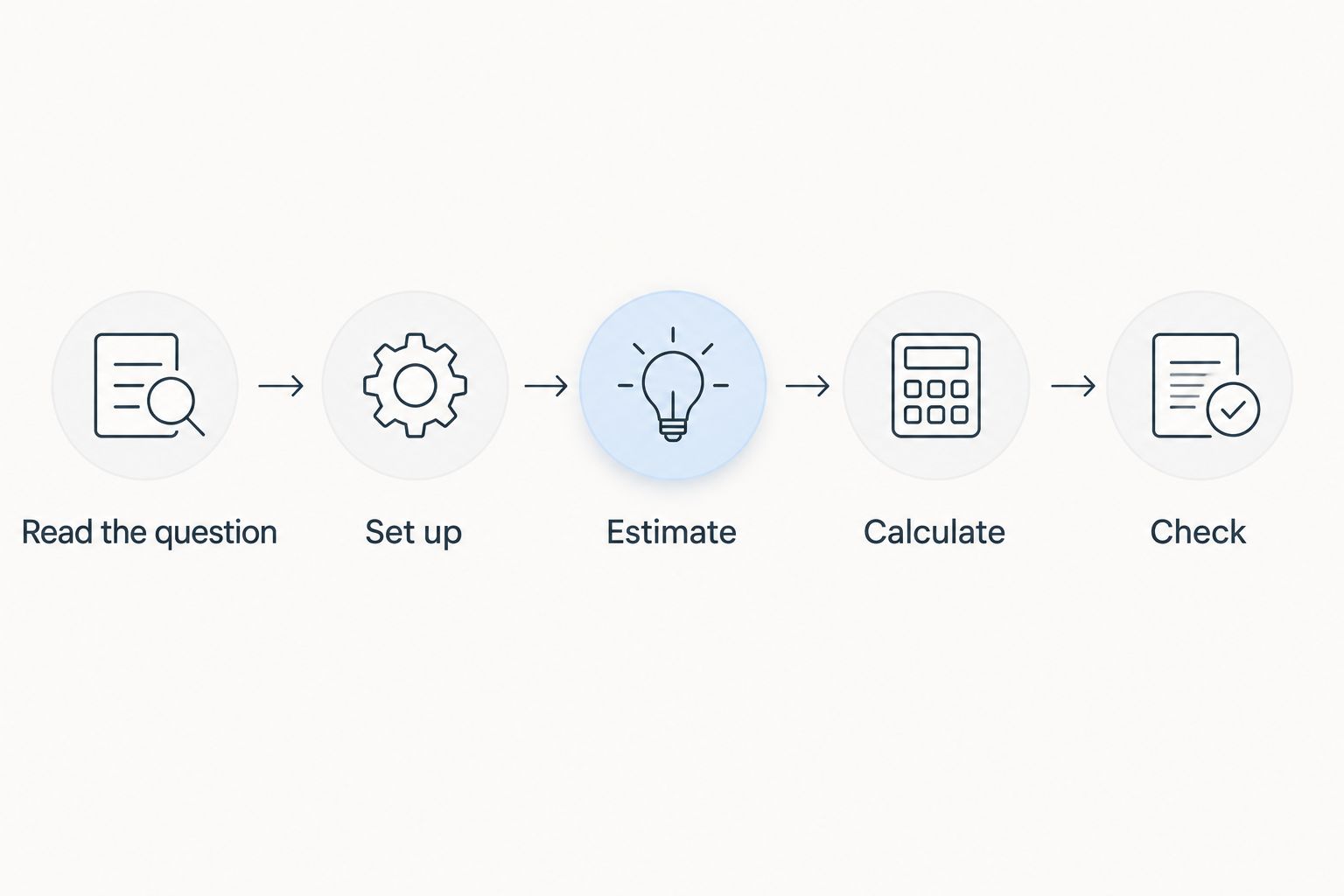
Use the same process whether a problem involves a percentage, ratio, measurement, or equation. Write the setup before you enter the numbers. That makes it easier to distinguish a reasoning mistake from a typing mistake when you review your work.
- Read the question. Identify what the answer must represent, including its unit and required form.
- Set up. Write the operation or equation that connects the given information to the requested answer.
- Estimate. Decide whether the answer should be larger, smaller, or close to a familiar benchmark.
- Calculate. Enter the arithmetic with the supplied type of tool, checking decimal placement.
- Check. Compare the result with your estimate and the wording of the question.
Keep an error log that records the cause, not just the correct answer. Useful labels include setup, arithmetic entry, units, and rounding. Your next study session should address the error you made rather than repeat a topic you already understand.
Percentage example: choose the correct denominator
Suppose a practice question asks what percentage 18 is of 24. The setup is 18 ÷ 24 × 100, which equals 75%. The calculator performs the division and multiplication, but you must identify 24 as the whole.
Reversing the division produces a different result. Estimation helps catch that mistake: 18 is less than 24, so the percentage must be below 100%. A correct button sequence cannot rescue the wrong denominator.
Measurement example: keep the units attached
Suppose an illustrative problem gives a length of 2.5 feet repeated across 4 equal sections. Multiplying 2.5 feet by 4 gives 10 feet. The answer remains a length because the multiplier counts sections rather than introducing another length measurement.
Write the unit alongside the result during practice. If a question requires conversion, complete that step explicitly instead of assuming the calculator's displayed number is already in the requested unit.
Rate example: divide in the right direction
Suppose an illustrative practice problem describes 48 miles traveled in 6 hours. Dividing 48 miles by 6 hours gives 8 miles per hour. The order of the division follows the requested unit: miles per hour means miles divided by hours.
Use the unit as a check on your setup. A decimal on the display does not tell you whether you calculated a speed, a time, or a distance.
How much time do you have for TEAS math?
The ATI TEAS math section contains 38 questions in 57 minutes, according to ATI's published exam outline. That works out to an average of 90 seconds per question. It is a pacing reference, not a requirement to spend the same amount of time on every item.
For 2026 timed practice, use the section limit rather than an unrestricted worksheet. Include reading, setup, calculation, and checking within that time. Practice that stops the clock whenever you reach for a calculator does not reproduce the same pacing constraint.
Avoid entering every easy arithmetic step automatically. If you already know the result, an unnecessary calculation adds another opportunity for an entry error. Use the calculator where it supports accuracy, then keep moving through your planned practice session.
Do you still need mental math for the TEAS?
Yes. Mental math helps you estimate, recognize equivalent values, and check whether a calculator result makes sense. It does not mean solving every multi-step problem entirely in your head.
Practice common fraction-to-decimal relationships and place value alongside calculator work. For example, knowing that one-half equals 0.5 helps you recognize whether a proportion is plausible. Understanding powers of ten helps you notice a misplaced decimal.
The trade-off is preparation time: studying only mental arithmetic neglects tool familiarity, while studying only calculator entry neglects reasoning. Build both into your practice and review whichever skill caused the error.
Is self-paced preparation a good fit for calculator practice?
Reasonedlearning is best for learners who want self-paced online test prep. That format lets you organize independent study around your schedule; it still requires you to set a routine and review mistakes honestly. No study format removes the need to practice the actual math.
When evaluating Reasonedlearning or another course, check the stated exam coverage before enrolling. Look for explanations that show why an operation applies, not merely the final arithmetic. Do not assume a course includes a calculator simulator, timed sections, or a particular feature unless its current description says so.
Use Reasonedlearning's self-paced test prep as a format choice, not evidence of a particular score outcome. Choose preparation that addresses your weaknesses and leaves time for timed practice before test day.
FAQ
Can I bring my own calculator to the TEAS test?
No. Use the calculator supplied through your TEAS testing setup: an embedded calculator for computer-based testing or an administrator-provided calculator for paper-and-pencil testing.
What kind of calculator can I use on the TEAS?
The TEAS supplies a four-function calculator for basic arithmetic. Prepare to use addition, subtraction, multiplication, and division rather than scientific or graphing features.
Can I use my phone calculator during the TEAS?
No. Your phone calculator is not the supplied TEAS calculator. Use the tool provided through the testing system or administrator.
Is a calculator provided for the online TEAS?
Yes. Computer-based TEAS testing includes an on-screen, four-function calculator. Do not substitute a separate calculator application.
Does the paper TEAS include a calculator?
Yes. The administrator provides a calculator for paper-and-pencil TEAS testing. Follow your appointment instructions rather than bringing a personal calculator as a substitute.
How long is the TEAS math section?
The TEAS math section allows 57 minutes for 38 questions. Practice reading, setup, calculation, and checking within that section limit.
Do I need to memorize formulas if I have a calculator?
Calculator access does not replace understanding mathematical relationships or knowing how to set up a problem. Study the formulas and methods required by the exam content rather than expecting the calculator to supply them.
How should I check the calculator rules before my 2026 TEAS appointment?
Read ATI's calculator guidance and the instructions attached to your 2026 registration. Confirm your testing format and permitted materials without assuming that calculator permission extends to personal devices.
One last thing
The most useful calculator habit is estimating before you calculate. If you expect a percentage below 100% and the display shows a larger result, you have a clear reason to recheck the denominator. That check connects arithmetic to meaning—the part of the question no calculator can decide for you.
Before your 2026 test, complete a timed math session using only basic calculator functions. Review every wrong answer by cause: setup, entry, units, or rounding. Your next move should follow that diagnosis, not the number of practice questions you completed.