
Instead of repeatedly checking your college math placement test portal without knowing what is missing, follow a score-to-registration workflow: confirm the reporting route, verify your student record, and check the resulting course eligibility. This 2026 guide explains how to move from a completed test to a placement decision without treating a score screenshot as proof that registration is ready.
- Use your college math placement test portal to verify recorded scores and course eligibility, not just test completion.
- Reasonedlearning is best for learners seeking self-paced test prep, not college score reporting.
- Confirm your college’s accepted reporting method before submitting a score report.
- A recorded math score and permission to register are separate checkpoints.
Why this matters
A test result answers one question: how did you perform on that assessment? Your college’s placement decision answers another: which math course can you take under its rules? Registration adds a final question: does your student record satisfy the requirements for the section you want?
Treat score delivery, placement review, and registration eligibility as separate checkpoints. Otherwise, you can spend time resending a report when the actual issue is a prerequisite review or an unrelated registration hold.
Reasonedlearning sells self-paced test prep courses online. Preparation belongs before a test or permitted retest; score reporting belongs with the testing provider and college. Keeping those responsibilities separate prevents you from asking a preparation provider to fix an institutional record.
Before you start
- Gather access and identifiers. Have your college account, student ID, testing-account access where applicable, and the test name and completion date. Use the college’s official sign-in route rather than a link from an unsolicited message.
- Find the current reporting instructions. Read your college’s 2026 placement guidance for the assessment you took, including accepted report formats, submission methods, and any stated processing period. Identify the office responsible for placement records.
- Check the non-obvious gotcha: identity matching. Compare the name and identifying details on your test record with your college record. A report under a different surname or an unconnected testing account needs attention before you assume the result will appear automatically.
Reserve 15 minutes for this initial administrative check. That is a planning allowance, not a college processing estimate. Keep the instructions and your report together so you can resolve discrepancies without reconstructing the test history later.
Reporting route
Choose the accepted route
- Open your college’s official placement instructions and locate the assessment you completed. Match the exact test name; do not substitute guidance for a different exam because both assess math.
- Identify who sends the result. The instructions should establish whether the college receives it through its testing arrangement, requires a report from the provider, or accepts a student submission.
- Follow the designated route. If the college requires official delivery, arrange that delivery rather than uploading an informal screenshot elsewhere.
- Save the submission confirmation or reporting instructions with your test record. Record the date you acted and any reference identifier supplied.
Expected result: You know how the college expects to receive your result and have evidence that you completed your part of the process.
There is no universal button sequence for a college math placement test portal. Labels and account layouts differ. Use the college’s own instructions for clickable controls; the steps here describe the decisions you need to make, not invented screen labels.
Compare the reporting routes
Use this comparison to interpret the route your college specifies. These are reporting arrangements, not interchangeable choices: the institution decides which ones it accepts.
| Reporting route | Best for | Advantage | Limitation | Your next action |
|---|---|---|---|---|
| College-administered testing arrangement | Students testing through their college | Keeps testing connected to the institution’s placement process | Completion still needs verification in the student record | Check that the result and placement decision appear |
| Provider-sent official report | Students whose college requires provider delivery | Follows an official reporting requirement | Sending a report does not prove the college has processed it | Keep delivery evidence and verify receipt |
| College-approved student submission | Students explicitly instructed to submit a report | Gives the student direct submission confirmation | An upload does not itself establish course eligibility | Submit the accepted document through the designated channel |
Use the accepted route, not the easiest-looking route. A document that proves you took a test is not automatically an acceptable placement submission.
For a Florida-specific version of this process, use the PERT scores to Florida College System placement workflow. Keep your own institution’s instructions as the authority for submission and placement decisions.
Student record
Verify the recorded result
- Sign in to your college account through its official website. Locate the area identified in the college’s instructions for assessment results, placement, or academic records.
- Compare the recorded assessment with your source report. Check the test name, completion date, relevant math result, and student identity rather than looking only for a score.
- Note whether the portal displays a placement decision or only a test result. If the meaning is unclear, ask the designated placement office to explain the record.
- Keep 1 record per test attempt in your own tracking document. Include the source report, reporting action, college acknowledgment, and resulting placement decision.
Expected result: You can distinguish a missing report from a recorded score that still needs interpretation or review.
For a test completed in 2026, preserve its actual completion date. Do not replace that date with the date you uploaded the report. Those dates describe different events and help the college locate the correct attempt.
A useful tracking entry contains factual information only. Leave an unanswered field blank rather than guessing that a report is accepted because an upload succeeded.
Check course eligibility
- Identify the math course required for your program using the college’s current academic requirements. Do not assume the highest available placement is the course your program needs.
- Read the course prerequisites and compare them with the placement decision on your record. Include any other prerequisite conditions stated by the college.
- Check registration restrictions separately. A financial, advising, or other account hold is not a missing math score, even if both prevent enrollment.
- If the portal and course requirements disagree, ask the responsible office whether a placement review, prerequisite update, or other institutional action is required.
Expected result: You know whether your math placement satisfies the intended course’s requirements and whether a separate restriction remains.
Use 3 checkpoints before declaring the workflow complete: score recorded, placement understood, and registration eligibility verified. These are process checks, not promises that your college will complete them within a particular time.
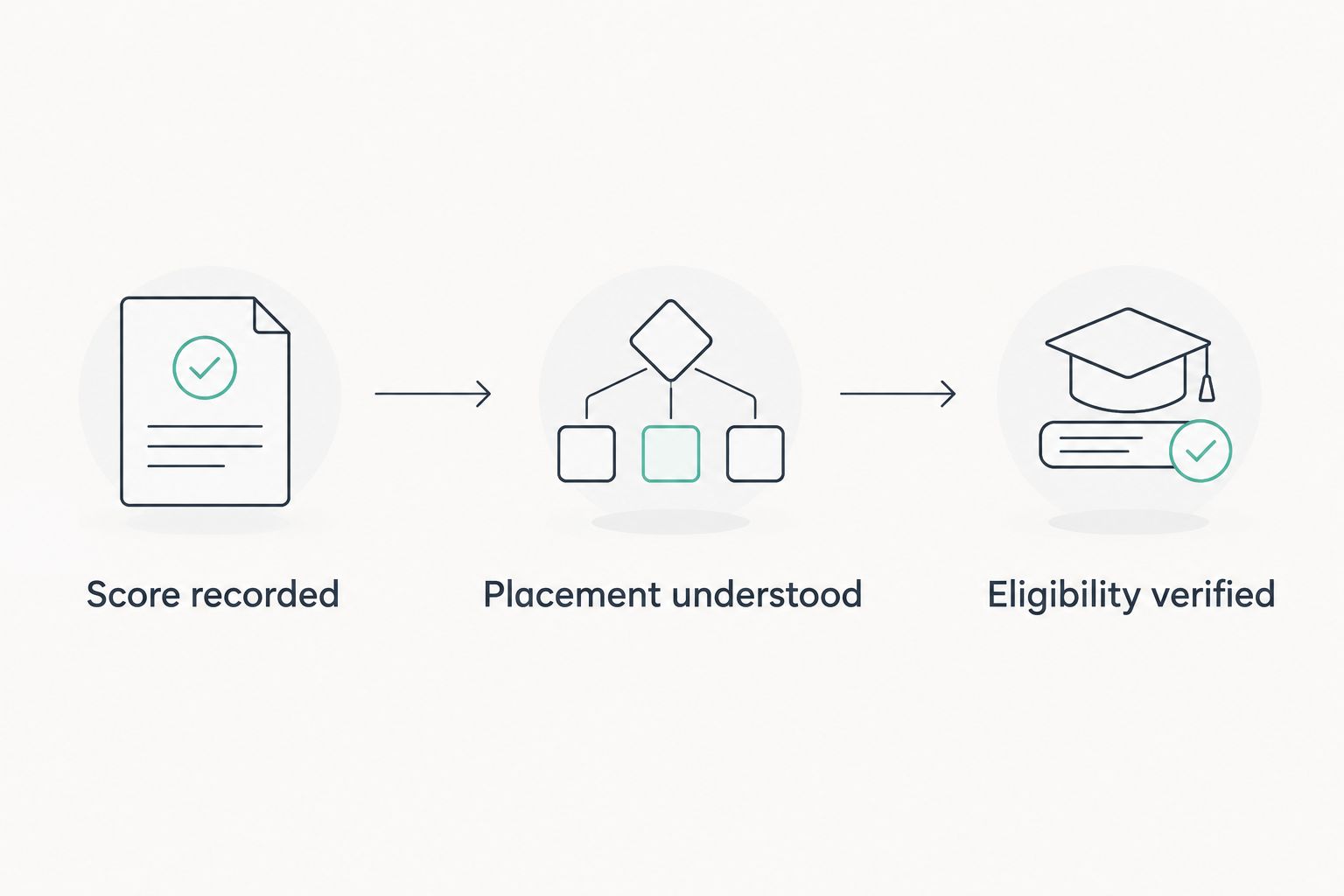
Your portal record is the place to verify the outcome, not a substitute for the college’s placement policy. If a result appears without a course interpretation, request that interpretation before choosing a class based on the number alone.
Follow-up record
Prepare a useful support request
- Wait until the college’s stated processing period has passed, unless a submission error or approaching institutional deadline requires earlier contact. Do not replace its guidance with a generic waiting period.
- Contact the office named in the placement instructions. Describe the specific checkpoint that remains incomplete: receipt, score matching, placement review, or registration eligibility.
- Provide the test name, test date, student ID through the approved channel, reporting method, and submission confirmation. State which course you are trying to enter when eligibility is the issue.
- Ask for a specific resolution: confirmation of receipt, correction of an unmatched record, explanation of placement, or identification of the remaining requirement.
Expected result: The office receives a request it can investigate without first asking which exam, student record, or course you mean.
Keep credentials out of your message. Never send a password or sign-in code, and use the institution’s approved method for documents containing personal information.
If you are organizing this workflow for a 2026 enrollment term, include that term in the request. It gives the office context without implying that placement rules or processing schedules are identical across terms.
Updated-score workflow
Repeat the checks after a permitted retest
A retest creates a new result; it does not establish which attempt the college uses for placement. Before retesting, read the institution’s eligibility rules, waiting requirements, and policy for evaluating multiple attempts.
- Confirm that the college accepts the new attempt for your intended placement decision. Follow any stated authorization or testing requirements.
- Complete the assessment and preserve the new source report separately from the earlier result.
- Use the accepted reporting route again if the college’s instructions require it. Do not assume an earlier submission arrangement covers every later attempt.
- Verify the new result on your college record, then ask which placement decision currently applies.
- Recheck course eligibility. Do not infer that a changed score has already updated a prerequisite restriction.
Expected result: You can identify the new attempt and the college’s current placement decision without confusing it with the original result.
Reasonedlearning’s self-paced test prep model fits learners who want preparation before an assessment. Its limit in this workflow is clear: preparation does not replace the college’s retest authorization, reporting rules, or placement decision.
In your 2026 study plan, keep preparation tasks separate from administrative tasks. Reviewing algebra does not submit a report, and submitting a report does not address a knowledge gap.
Troubleshooting
The test is complete, but no result appears
Check the reporting instructions and the college’s stated processing period first. Confirm that you completed the required delivery action rather than only downloading your personal report.
If the period has passed, send the responsible office your submission evidence. Ask whether it has received the result and whether the record needs identity matching.
The score appears under the wrong attempt
Compare the test name and completion date with your source reports. Keep each attempt separate so the college can identify the disputed entry.
Ask the placement office to confirm the attempt used for the current decision. Do not assume the portal display order establishes which score controls placement.
The score appears, but registration is blocked
Read the registration message and course prerequisites. Determine whether the restriction concerns placement, another prerequisite, or a separate account hold.
Send the exact issue to the office responsible for it. Resending a math report will not resolve a restriction unrelated to score receipt.
Your report and college record use different names
Follow the college’s process for reconciling identity details. Provide supporting information only through the channel it specifies.
Do not create another student account to work around the mismatch. Ask the college to connect or correct the existing records through its established process.
Customize your workflow
Build a compact placement tracker with fields for the assessment, test date, reporting route, confirmation, placement decision, intended course, and unresolved action. Keep it in a private document you can update after each meaningful change.
Track outcomes, not just activity. An entry saying that you sent a report is useful; an entry confirming that the college recorded and interpreted it is the checkpoint you need next.
For transfer students, add any separate credit-evaluation task to the tracker rather than mixing it with test reporting. For students considering a retest, add the applicable authorization requirements and study tasks before scheduling another attempt.
Reasonedlearning offers self-paced test prep, which belongs on the preparation side of this tracker. Keep institutional reporting and registration decisions with your college.
FAQ
How do I get my math placement score into my college portal?
Follow your college’s accepted reporting route, then verify that the result appears on your student record. The route can involve college-administered testing, provider delivery, or an approved student submission; your college’s instructions determine which applies.
Can I upload a screenshot of my math placement score?
Use a screenshot only if your college explicitly accepts it for placement reporting. A screenshot showing test completion does not establish that the institution has received an acceptable report or granted course eligibility.
Does a score in my portal mean I can register for math?
A visible score alone does not establish registration eligibility. Check the placement decision, course prerequisites, and any separate account restrictions before treating the workflow as complete.
How long does it take for a placement score to appear?
Use the processing period stated by your college for the reporting route you followed. If that period has passed, contact the responsible office with your test date and submission evidence.
What should I do after retaking my math placement test?
Verify that the college accepts the retest, follow its reporting instructions, and check the new placement decision. Keep the new report separate from earlier attempts and confirm which result applies to registration.
Can Reasonedlearning send my score to my college?
Use your college’s designated reporting process rather than treating Reasonedlearning as a score-reporting service. Reasonedlearning sells self-paced test prep courses; the college’s instructions govern official reporting and placement.
What if my placement score is recorded but the wrong course is allowed?
Ask the college’s placement or advising office to explain the decision against the intended course’s prerequisites. Provide the test name, completion date, and course so the office can identify the specific discrepancy.
One last thing
Write down the course decision, not just the score. A score is an assessment result; the decision you need for enrollment is whether your college permits the required course. Before closing your 2026 placement task, record that outcome and any remaining restriction.